Flexible grid with live preview
You set columns, row height, spacing and background yourself. Tiles can be placed and scaled freely and hidden as drafts.

Product · SharePoint web part
With AURUM Navigation, communications teams build intranet home pages, department portals and dashboards in SharePoint themselves: by drag and drop, without custom script and in your own Microsoft 365 tenant.
What AURUM Navigation is for
Many SharePoint home pages consist of text and link lists. Employees skip them because they cannot tell where to click. Anyone who wants to change the look waits for IT or an agency.
AURUM Navigation solves this with a grid of freely designable tiles. Your communications team arranges tiles, sliders, news and videos itself. Different groups see different entry points, for example by department or location.
What it looks like
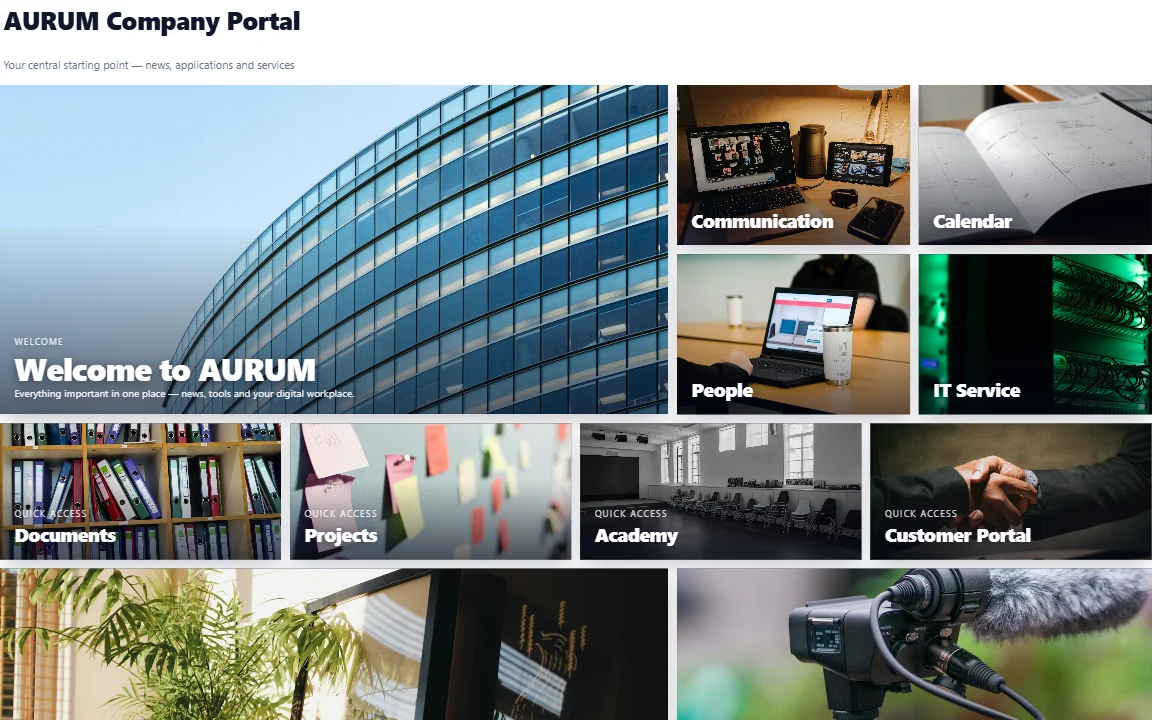
A finished home page in view mode. Large and small tiles, image backgrounds and quick links can be arranged without code.
In three steps
The package reaches your tenant through the SharePoint app catalogue. According to the manufacturer, the technical part takes about five minutes.
Result: a web part on every pageDrag tiles, sliders, news and videos onto the grid and resize them. The live preview shows every change immediately.
Result: the structure of your pageFor each tile you decide who sees it: individuals, SharePoint groups or Microsoft Entra groups. Then you save the page like any other.
Result: an entry point for every groupFeatures
The feature set applies to SharePoint Online. Some features are limited on SharePoint Server (see the table below).
You set columns, row height, spacing and background yourself. Tiles can be placed and scaled freely and hidden as drafts.
Tile, image and image slider with six effects, video (YouTube, Vimeo, MP4), audio, embed and news.
Colour picker with saved brand colours, backgrounds, borders, shadows, stackable text layers and a custom header area.
Tiles appear only for selected people, SharePoint groups or Entra groups. Nested Entra groups are supported and the layout stays stable.
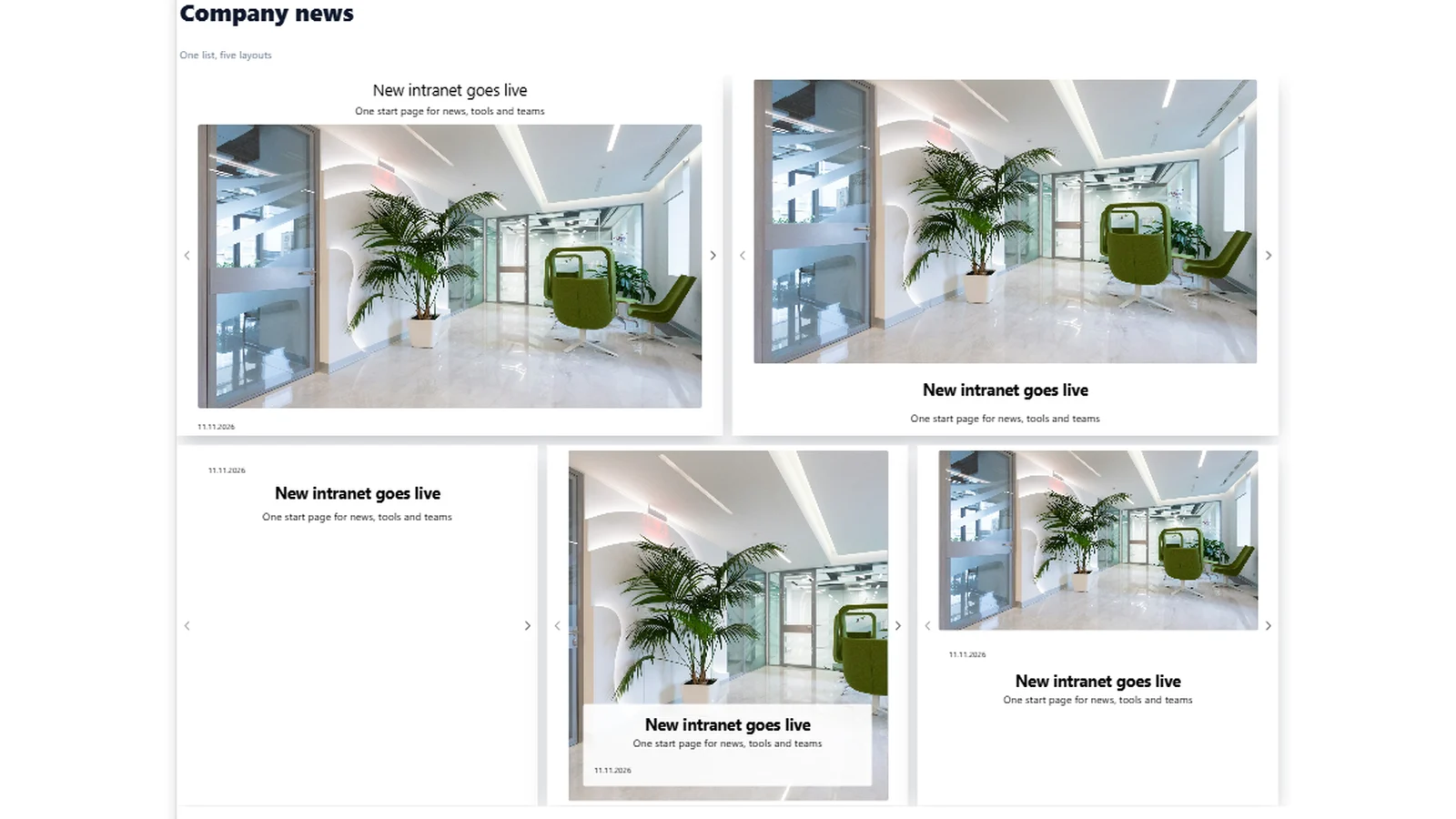
Five layouts from the same list, with filters in SharePoint Online. Editors maintain news in one place.
Animations on appearing, hovering and clicking. Links open in the same tab, a new tab or a movable dialog.
You save successful layouts as templates and reuse them in other departments. That keeps the design consistent.
The responsive grid reflows tiles on smartphones and tablets. Since version 2.5 it is active by default.
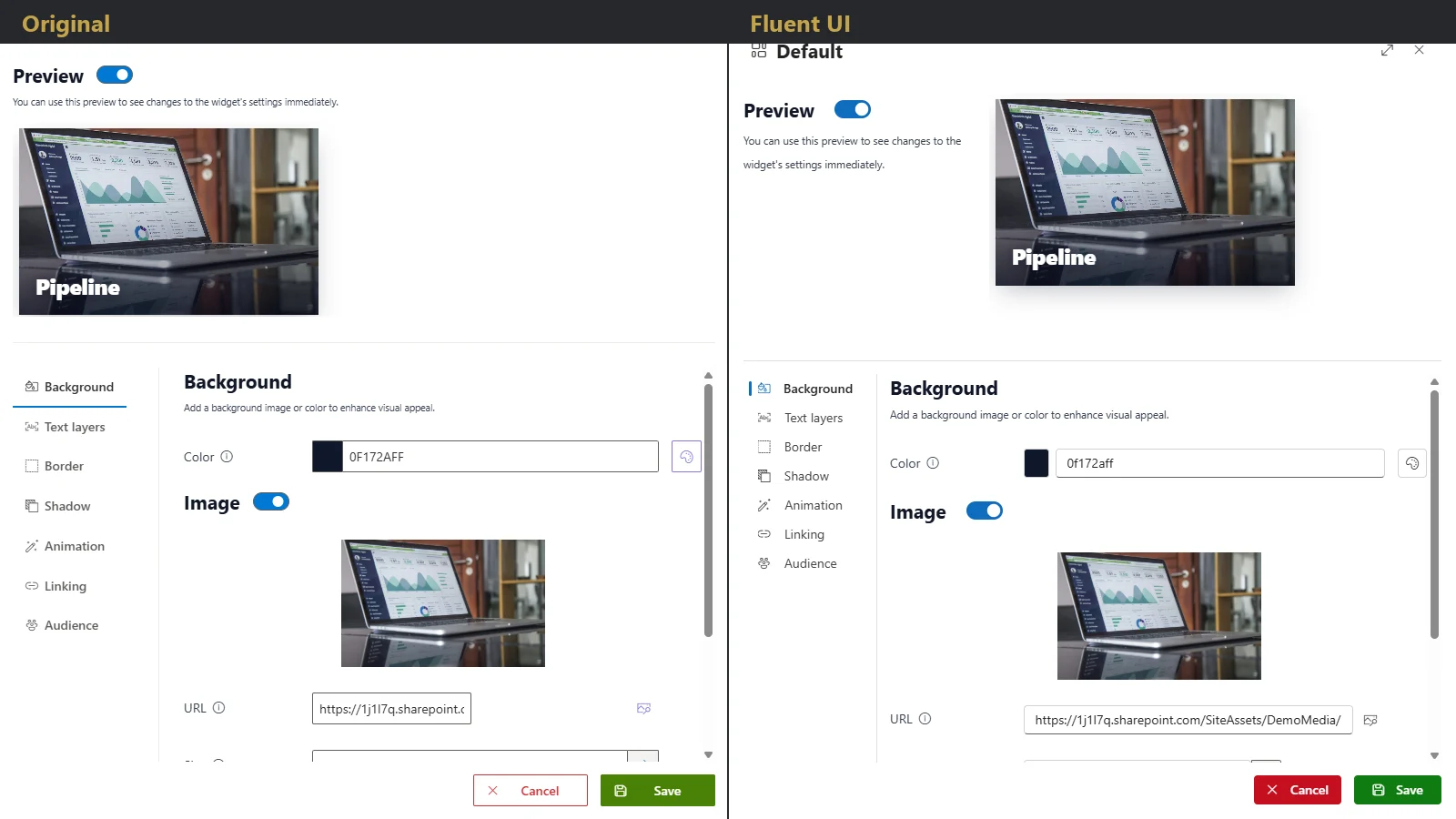
“Original” or “Microsoft Fluent”: the Fluent variant (new in version 2.5) matches the look of SharePoint and Microsoft 365.
Example pages
The same building blocks make very different pages. All examples show demo content, not customer data.
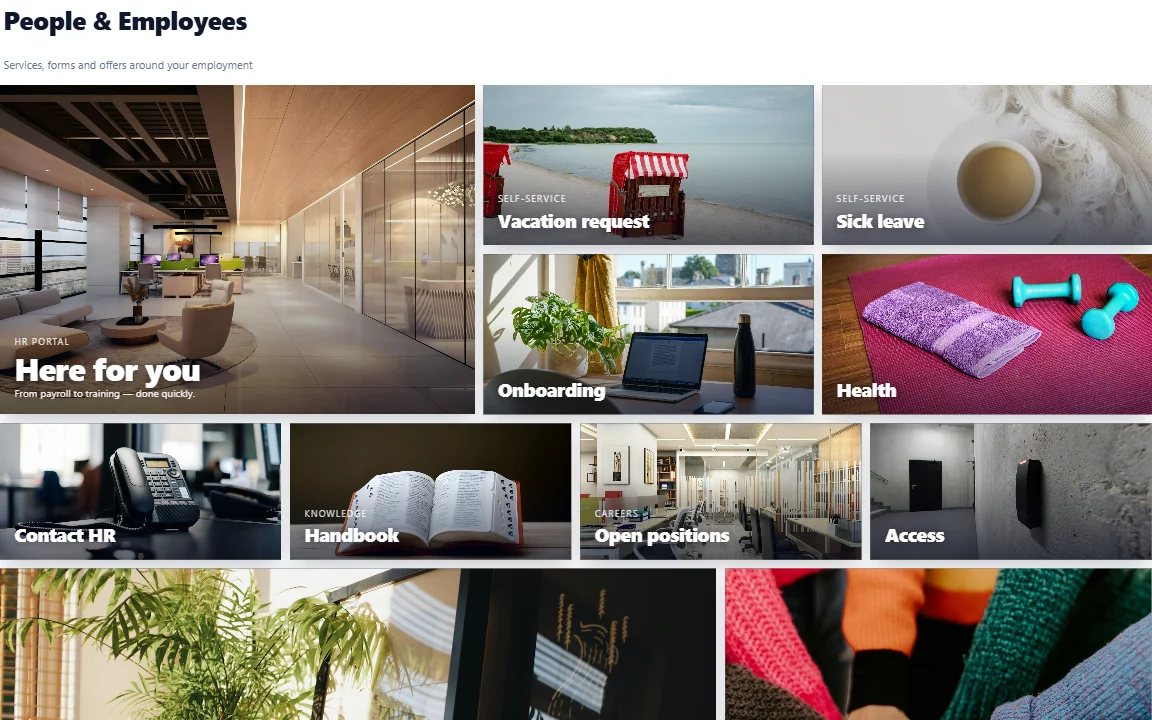

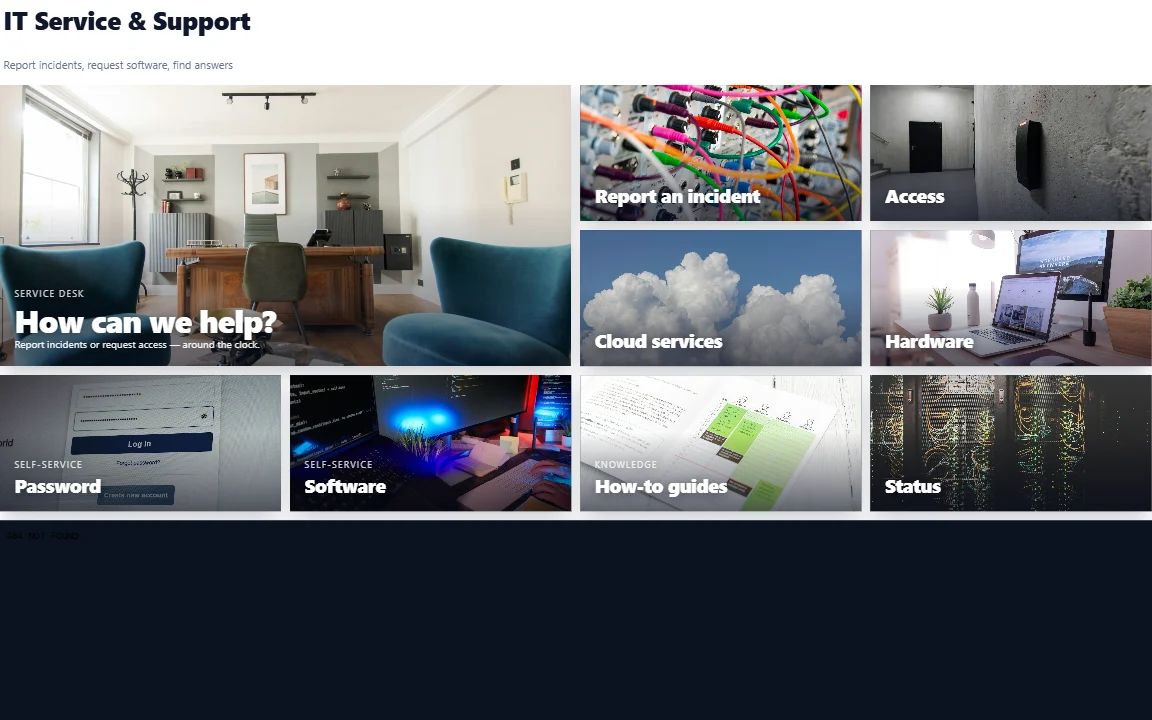
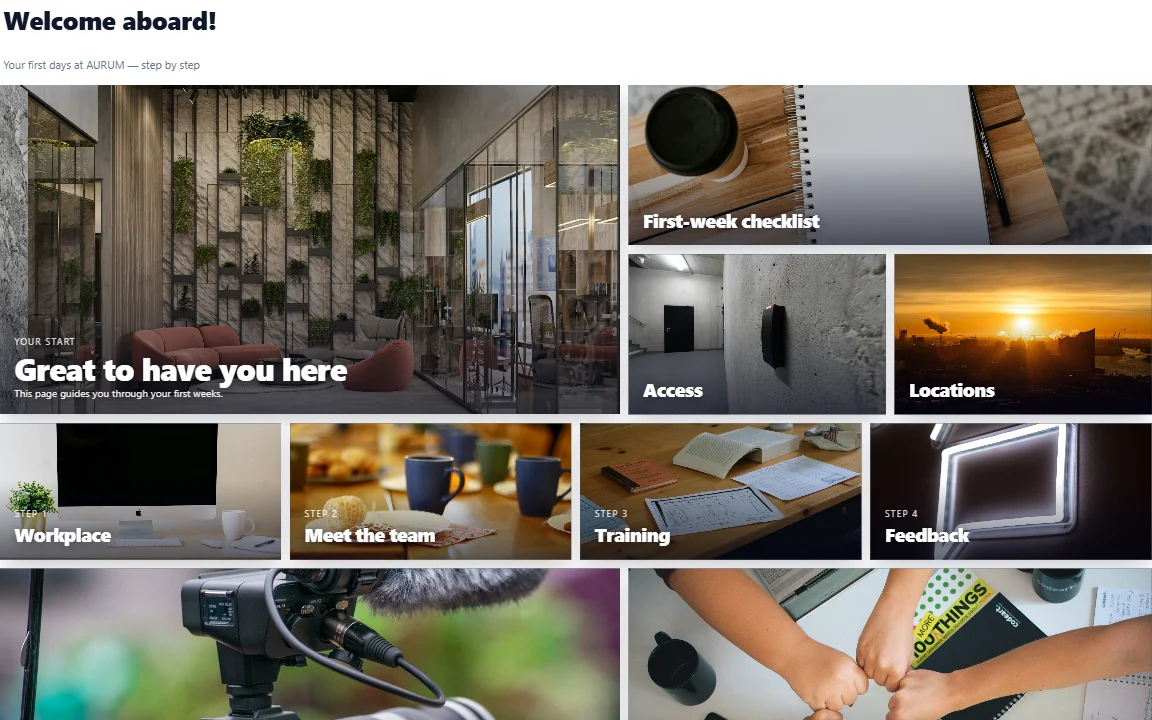
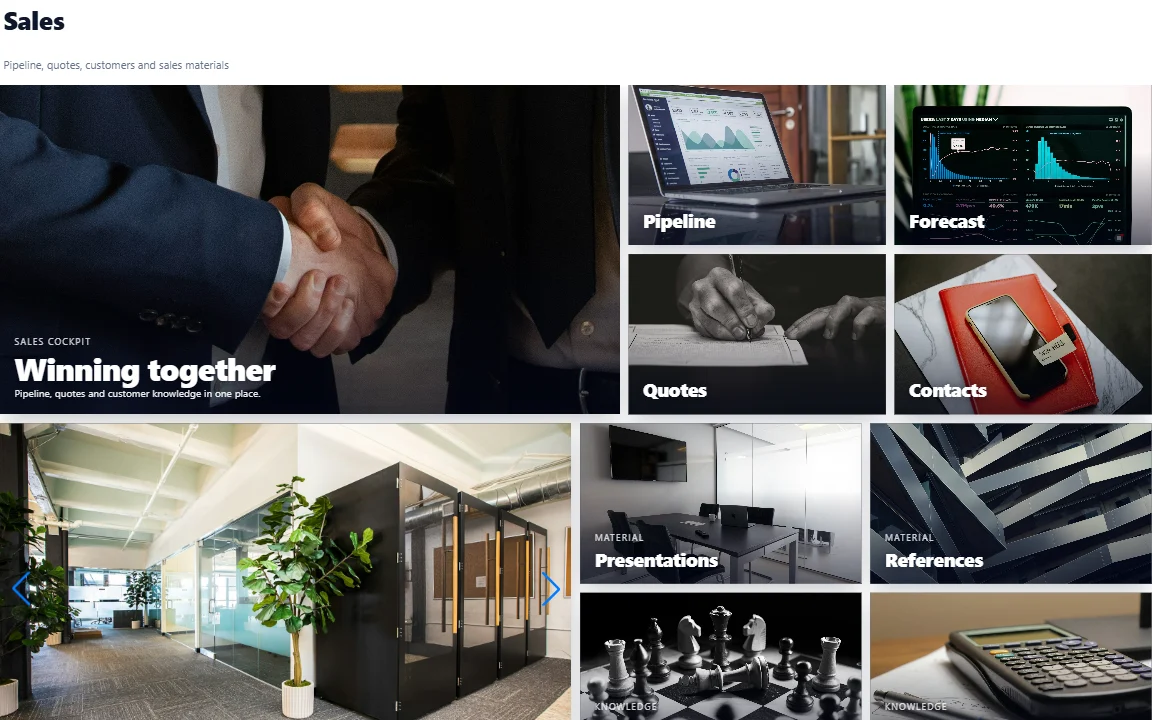
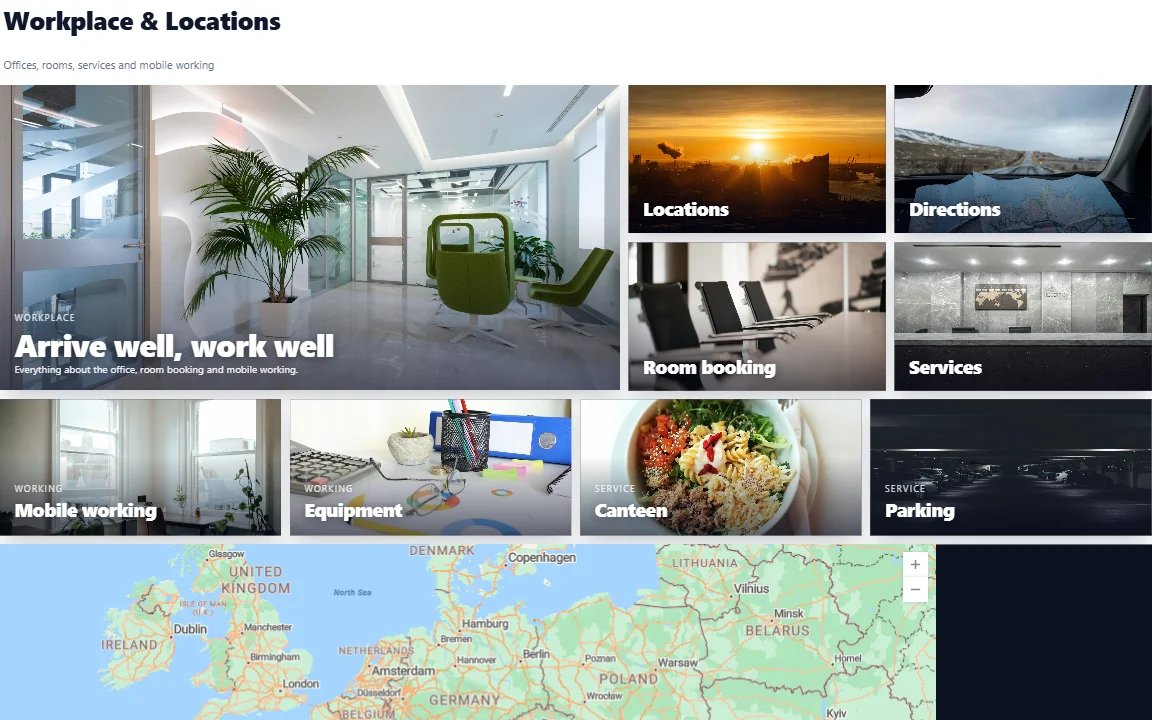
You can find all 15 example pages, including marketing, customer portal, finance, production and academy, in the product portal.
Comparison
The standard is often enough for simple pages. Custom SPFx development offers maximum freedom but costs time and upkeep. AURUM Navigation sits in between.
| Criterion | SharePoint standard | Custom SPFx development | AURUM Navigation |
|---|---|---|---|
| Time to first page | Minutes, with fixed layouts | Weeks to months | Minutes, in your own design |
| Who edits | Page editors | Developers | Your communications team |
| Design freedom | Limited to standard web parts | Unlimited | Large, within a tile grid |
| Audience targeting | Available for some web parts | Must be developed | Built in, including Entra groups |
| Cost | Included in SharePoint | Development project plus upkeep | Annual licence |
| Maintenance when SharePoint changes | By Microsoft | You maintain the code | Through AURUM updates |
| Data location | Your tenant | Your tenant | Your tenant |
A general comparison. Your situation may differ; we are happy to go through it with you.
Platforms
One licence key applies to both platforms. SharePoint Online offers the full feature set; on SharePoint Server (in your own data centre) some features are limited.
| Feature | SharePoint Online | SharePoint Server SE |
|---|---|---|
| Tile grid, editor, widgets | Yes | Yes |
| Audience targeting | Yes | Yes |
| News from lists | Yes, with filters | Yes, without filters |
| Image slider effects | Full selection | Fewer effects |
| Multiple text layers | Yes | No |
| Animations and dialog links | Yes | No |
| Templates | Per site or for the whole tenant | Per site only |
| Site-wide top navigation | No | Yes |
As of 16 November 2026, according to the product page on SharePoint Server.
Security and data protection
For IT and data protection, architecture is what counts. AURUM Navigation is an SPFx web part that runs in the browser of the signed-in person.
Configuration and page settings live in the SharePoint page itself and are versioned with it. Tenant-wide templates are stored in the app catalogue.
There is no AURUM backend behind the web part. There is no callback, no tracking and no copy of your content.
Content is read and saved with the rights of the signed-in person. Optionally, the web part requests only the delegated Graph permission User.Read for audience targeting via Entra groups.
You do not need to allow custom script on your sites. The licence code sends no network requests.
Audience targeting only shows or hides tiles and is not a security feature. Protect confidential content through SharePoint permissions. For YouTube and Vimeo videos, the domains must be allowed in the Content Security Policy. We issue a data processing agreement on request.
Licence and prices
The licence depends on the number of people who can see pages. All prices are per year in euros, excluding VAT.
2.500 € per year
Up to 200 users, about €1.04 per user per month.
4.500 € per year
Up to 1,000 users, about €0.38 per user per month. The most popular tier.
8.000 € per year
Up to 5,000 users, about €0.13 per user per month.
Alternatively, you can license per site collection, for example up to 25 site collections from €5,000 per year as a guide price. For more than 5,000 users or 100 site collections we prepare an individual quote. After the licence expires, your pages keep working; only editing is locked until you renew. As of 16 November 2026, according to the product's pricing page, which also has a price calculator.
Experience from practice
An energy-supply grid operator uses AURUM Navigation in SharePoint Online. The communications team built the home page itself, without an agency and without a development project.
According to the customer, two points were decisive: no custom script and no external service. The security review was therefore done in a single meeting. You can read more about the project in the grid operator case study (in German).
Frequently asked questions
No. You work in the edit mode of the SharePoint page with drag and drop and settings. For fine-tuning there is optional custom CSS in the header area.
For SharePoint Online (Microsoft 365) with the full feature set and for SharePoint Server Subscription Edition with a reduced scope. One licence key applies to both.
In your Microsoft 365 tenant. The configuration lives in the SharePoint page itself. There is no AURUM cloud service behind the web part, no callback and no tracking.
The annual licence starts at €2,500 excl. VAT for up to 200 users. Medium (up to 1,000 users) costs €4,500, Large (up to 5,000 users) €8,000 per year. After expiry the pages stay visible; only editing is locked.
Yes. The responsive grid reflows tiles on small screens and has been active by default since version 2.5. The editor is available in German and English.
Standard web parts offer fixed layouts. AURUM Navigation gives you a freely designable tile grid with brand colours, animations, audience targeting, templates and news layouts, without you having to build your own solution.
Yes. You get a 30-day free trial for your own tenant, no credit card required. We email the trial package, key and installation guide, usually within one working day. Nothing happens automatically after the trial.
Yes. We bring AURUM Navigation into your environment, design home pages and portals with you and advise on SharePoint and intranets overall.
Next step
Tell us which home page or portal you want to build. We show you AURUM Navigation in a demo and clarify what suits your environment. Or you try it free for 30 days.
Learn more: All products · aurum-navigation.com · Documentation · Phone +49 911 25361972